Capture the conversation.
Ask everyone involved for permission before recording. Open Doctor Notes and start a visit recording.
A recording, a clear summary and a way to share them with the people who help you.
Download Doctor Notes
Take a look inside Doctor Notes, from the first recording to the people you keep in the loop.
Get Doctor Notes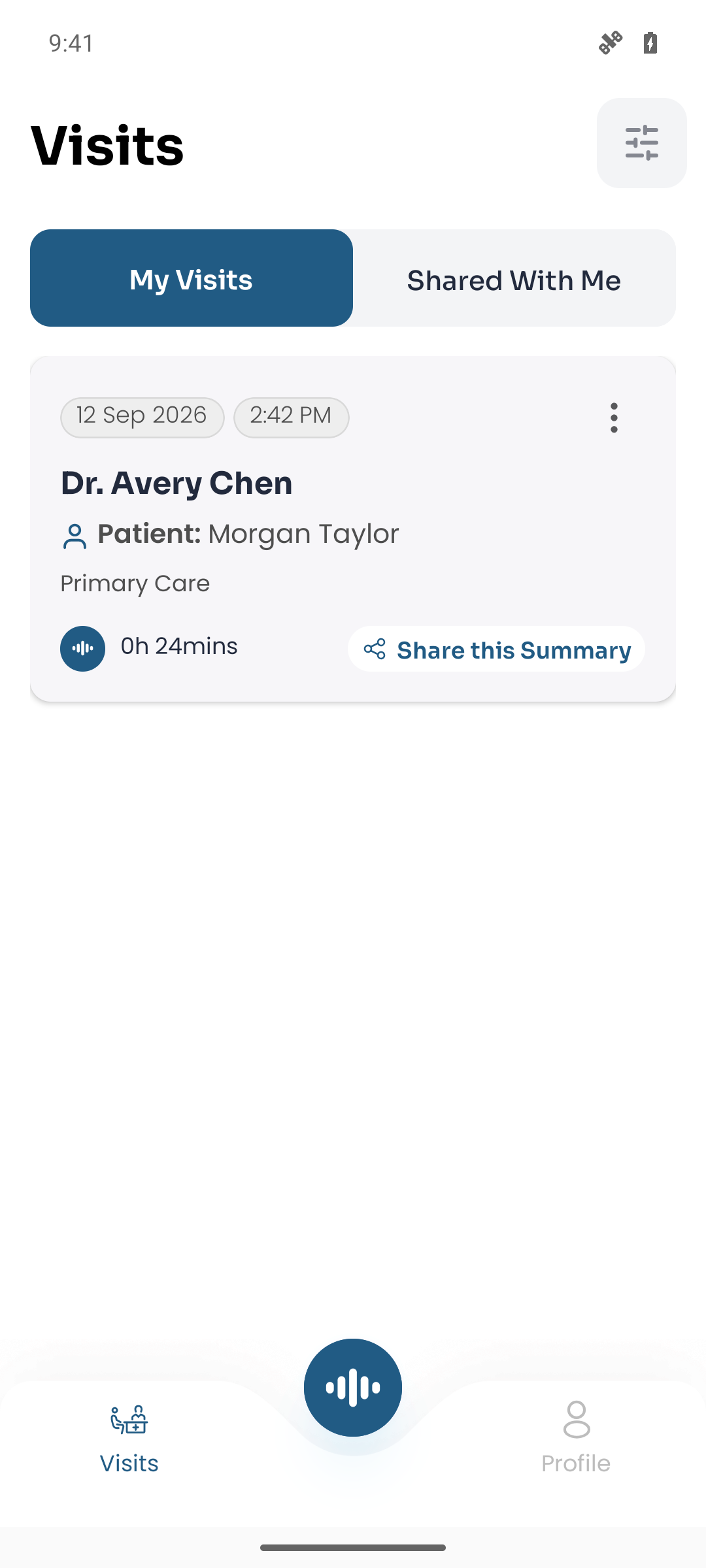
The Visits screen keeps your recordings and shared visits in one place.
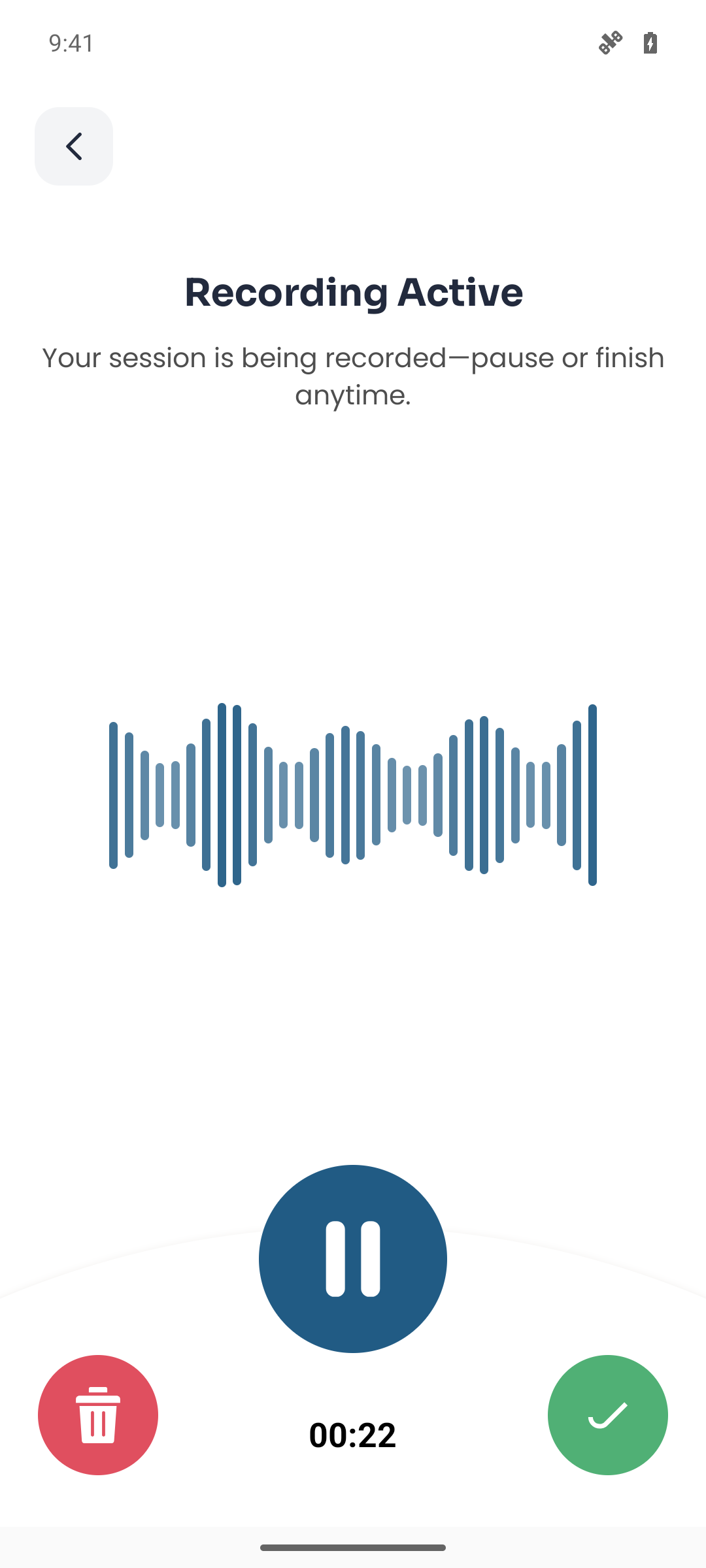
Watch the waveform as a recording unfolds. Pause or finish whenever you’re ready.
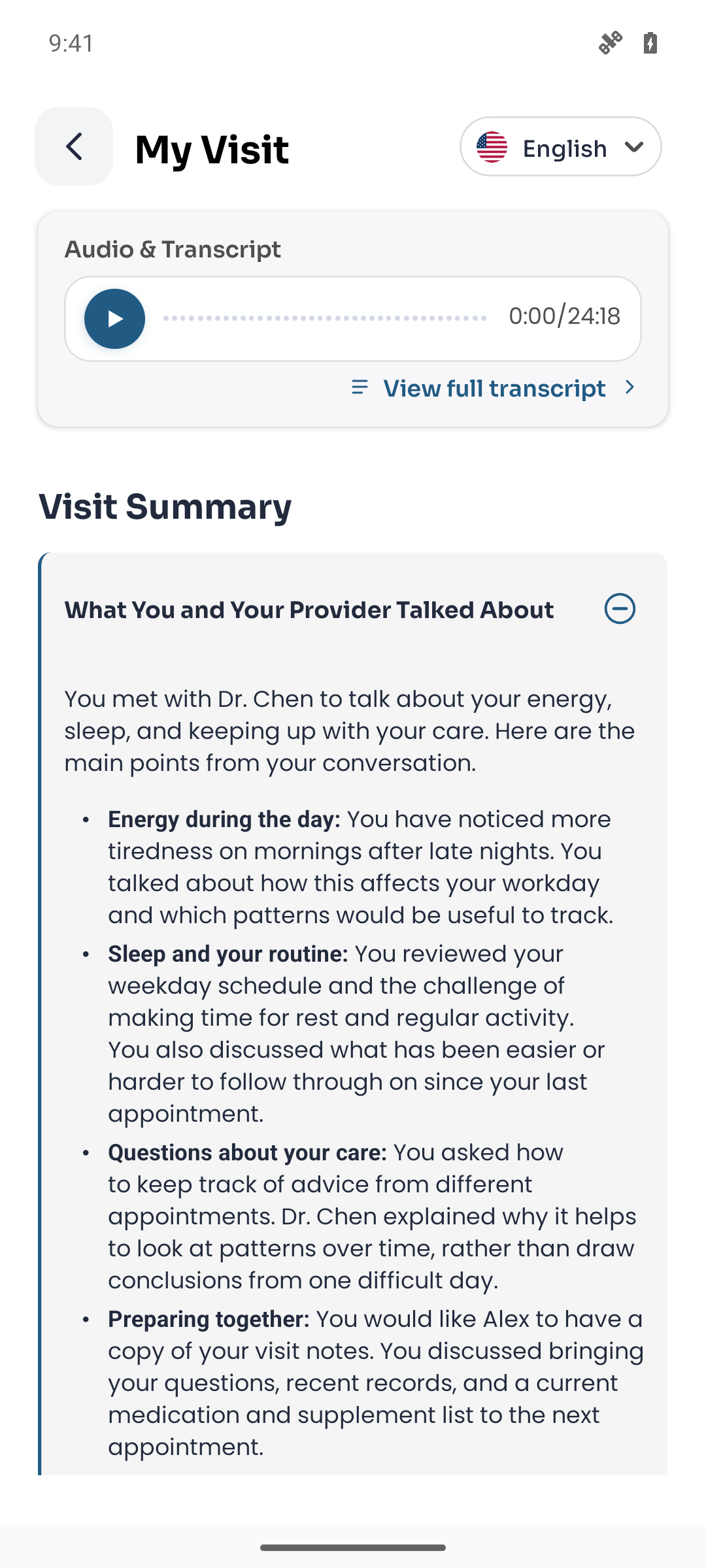
Open the visit summary by topic, or return to the audio and full transcript.
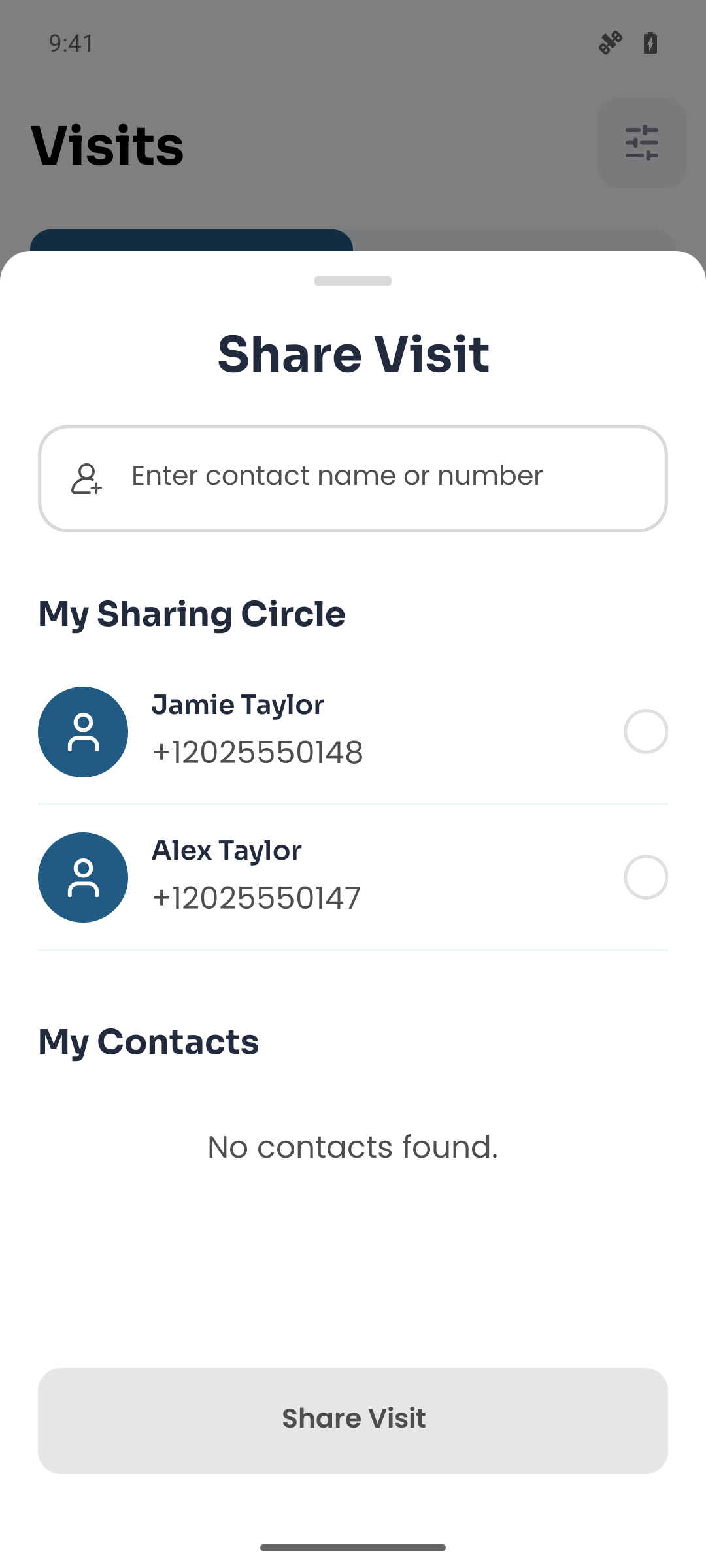
The Share Visit screen lets you choose someone from your sharing circle.
Ask everyone involved for permission before recording. Open Doctor Notes and start a visit recording.
Once the recording has been processed, read the summary alongside the transcript and audio. AI can make mistakes; check important details with your clinician.
Share the visit with family and caregivers. Each person keeps their own account and you choose what to share.
Keep your recordings, transcripts and summaries together. Available for iPhone and Android, with English and Spanish support.
Summaries arrive after processing. Doctor Notes does not provide live answers during the appointment.
How we handle your information